An official website of the United States government
Here’s how you know
Official websites use .gov
A .gov website belongs to an official government organization in the United States.
Secure .gov websites use HTTPS
A lock
()
or https:// means you’ve safely connected to the .gov website. Share sensitive information only on official, secure websites.
Third party content providers provide product coverage, but no authorization. This includes GfK Etilize and Icecats.
Who should not use the VPP
Multiple Award Schedule vendors and the acquisition workforce should instead use the data provided in the Compliance and Pricing Report, or C&P, and the Price Point Plus Portal, or 4P.
Tiers, user roles, and descriptions
Tier
Role
Description
1
Admin
Manage user access, oversee content, and ensure system configuration and maintenance.
2
Manufacturer
Original producer of the products. Is responsible for creating, supplying, and maintaining accurate product data and specifications in the product portal.
3
Authorized Manufacturer Representative
Acts as a liaison between the manufacturer and customers or distributors, ensuring the product is accurately represented in the product portal.
4
Wholesaler
Purchases products in bulk from manufacturers and resells them, often managing inventory, pricing, and distribution within the product portal.
5
Vetted Distributor
A GSA contractor who has gone through a vetting process — for example — sampling for data quality. This has not yet been granted.
6
Content Manager
Plan, create, organize, and maintain digital content across the platform.
7
Third Party Content Provider
Create and manage product-related content — for example, descriptions, images, and videos — for the portal, ensuring it is optimized for accuracy, visibility, and user engagement.
Access the VPP
New users:Apply online for an account. We will screen all applications to ensure users are authorized to represent the organization before creating the account.
Registered users:Sign in to start uploading product data.
Contact the VPP Registration Team at vpp@gsa.gov with questions or concerns.
Create a password
You’ll get an email from Okta to create a password once the Admin creates a user account for you. Follow password requirements to protect your VPP account.
Account requirements
Provide the following to establish your account:
Account information to create your VPP account.
Acceptance of the VPP Terms of Use agreement each time you sign into the portal.
Full current product catalog or supplier authorization list, or both.
Product and supplier updates as they are made available through either a Comma Separated Value, or CSV, file or the Application Program Interface, or API, connection.
User interface overview
Product catalog
The catalog page shows product information, prohibition rules, and prohibition reasons.
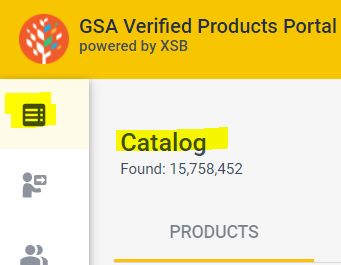
Catalog
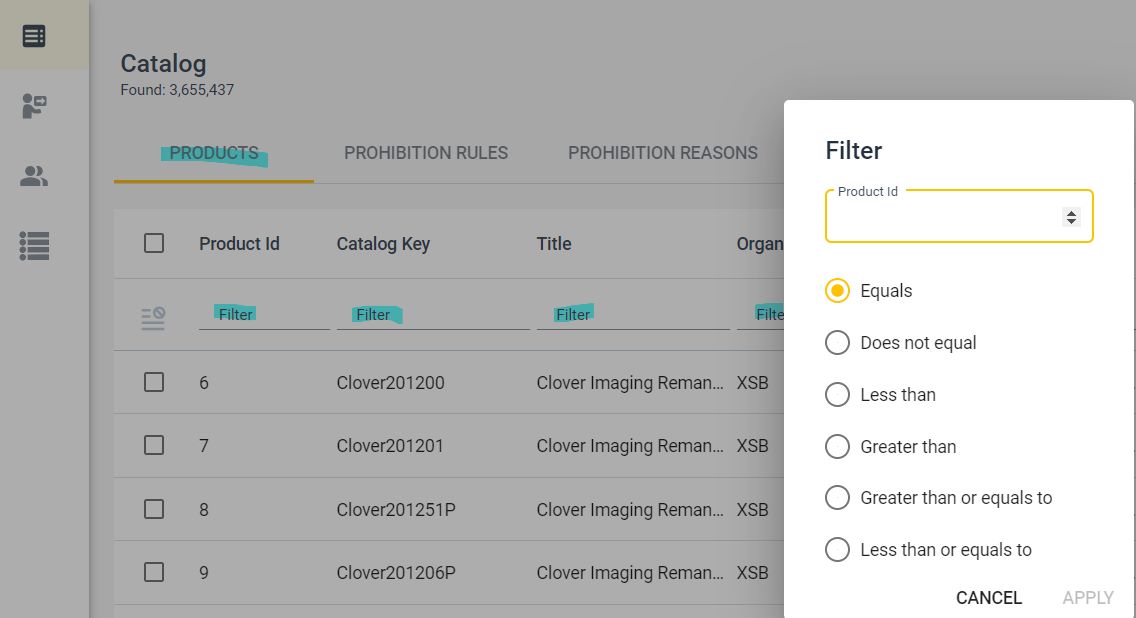
Filter product information by selecting Filter under one or more categories.
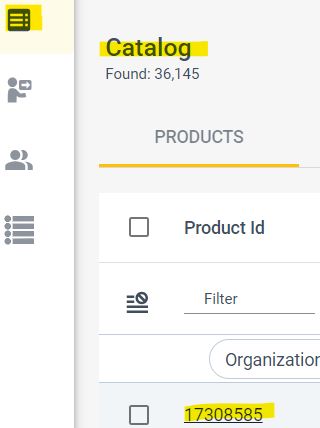
Navigate to Product Details by selecting the hyperlink of any field within the applicable row.
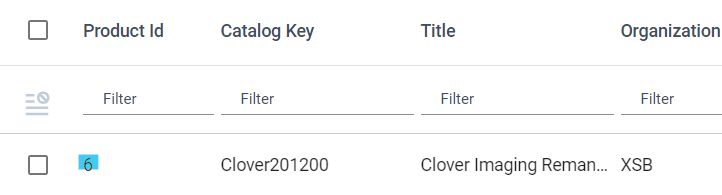
To view the product page for Product ID six, select six under the Product ID category, or select any other field within that row, for example, Clover114226 — Catalog Key.
The Product Details page displays the following system, product, marking, environmental, media, and marketing categories:
System info
Category
Description
Catalog Key
Unique identification number or string to identify products within the catalog. The Catalog Key cannot be used more than once.
Organization
Name of the manufacturer.
Organization Type
Type of user role.
Last Update Date, Time
Date and time that the product info was most recently updated in the VPP.
Comment
Field for comments.
Global Shipment Identification Number, or GSIN, Mappings
Links to the affiliated GSA Advantage product pages.
Main product info
Category
Description
Brand
Name of the brand for the product.
Manufacturer Name
Name of the manufacturer.
Part Number
Part number for the product.
Title
Name of the product.
Short Description
Short description of the product data sheet.
Long Description
Long description of the product — that is, the marketing text.
Marking and category info
Category
Description
Global Trade Item Number, or GTIN
An umbrella term to describe varying types of GS1 numbering strings. The family of data structures — not symbologies — comprising GTIN include:
GTIN-12 (UPC-A): A 12-digit number used primarily in North America
GTIN-8 (EAN/UCC-8): An 8-digit number used predominantly outside of North America
GTIN-13 (EAN/UCC-13): A 13-digit number used predominantly outside of North America
GTIN-14 (EAN/UCC-14 or ITF-14): A 14-digit number used to identify trade items at various packaging levels
Northern American Industry Classification System, or NAICS
Self-assigned system used to classify business establishments for the purpose of collecting, analyzing, and publishing statistical data related to the U.S. business economy. Describes the primary and secondary income-producing lines of business.
Manufacturer Commercial and Government Entity, or CAGE, Code
Unique identifier assigned to suppliers to various government or defense agencies, as well as to government agencies themselves and also various organizations. CAGE codes provide a standardized method of identifying a given facility at a specific location.
Category
Broad product category name.
Family
Product family name.
Series
Product series name.
Model
Product model name.
Quality
Product quality indicator. For example, “remanufactured.”
Supply Category Name
Name of a Category ID.
Supply Category ID
An assigned ID to correspond with vendor authorizations. The supply category ID fields can all be set to 1 or a variety of numbers can be used to allow for a complex distribution chain — that is, specific vendors are permitted to carry specific products.
Unit of Issue
Standard quantity or packaging of a product that is used for ordering.
Package Quantity
Quantity of packages.
Primary Country
Primary country of origin for a product. Two letter country code utilizing ISO-2 format.
Secondary Country
Secondary country of origin for a product. Two letter country code utilizing ISO-2 format.
Tertiary Country
Tertiary country of origin for a product. Two letter country code utilizing ISO-2 format.
Links to the PDF leaflet. Each link is separated by a vertical bar ( | ).
Manual URL
Links to the PDF leaflet. Each link is separated by a |.
Gallery Image URLs
Links to the PDF leaflet. Each link is separated by a |.
Gallery Resolutions
Resolutions of the product gallery images, separated by a |, if several.
Large Image URL
A link to the high-resolution image of the main product.
Large Image Resolution
The resolution of the main product image.
Medium Image URL
A link to the medium-resolution — 500 pixel — image.
Small Image URL
A link to the low-resolution product image.
Thumbnail URL
A link to the thumbnail image.
Video URLs
Links to product videos. Must be YouTube or MPEG-4.
View 360 URL
A link to a content type with a 360 degree — 3D — product view.
PDF Files URLs
Links to a PDF. A title is allowed for each link.
Other Multimedia
Other multimedia content types.
Datasheet URL
A link to a PDF or HTML data sheet.
Datasheet Updated
The date of the last change of the product data sheet.
Marketing info
Category
Description
Short Summary Description
A short editorial description of the product data sheet.
Long Summary Description
Marketing text.
Reasons to Buy
Reasons to buy, featuring bullet descriptions.
Stock Status
An inventory level. The only values allowed are: normal, limited, end-of-life, out-of-stock and discontinued.
Restock Date
A date when an out-of-stock item is expected back in stock.
Min Price Increase
A percent of an upcoming price increase (the lowest number offered to a distributor).
Price Increase Effective Date
A date of the upcoming price increase.
Authenticity Price Threshold
A price below which the authenticity of the item is questionable.
Reference Price
An estimate of the expected or average market price.
Energy Star Label
Indicates if the product is in the Energy Star program — 1 for YES or 0 for NO.
End of Life Date
The date the current product has or will reach its end of life.
Dynamic Specification
Product characteristics that otherwise don’t have a home, or that aren’t currently utilized at the field level within VPP. The dynamic nested structure allows you to list all of the products under a single header, or to separate these values under multiple headers.
Updating product data
A product file is used to update product information on the VPP, which also updates GSA Advantage data.
Required fields
CatalogKey
Title
ManufacturerName
PartNumber
SupplierCategoryId
PrimaryCountry
LongDescription
UnitofIssue
PackageQuantity
How to enter product and supplier authorization information
Our Getting started guide includes required templates you’ll use to upload your data. Users can also find blank upload templates in the VPP by going to the Catalog and Supplier Authorization tabs.
File requirements
To import a catalog or supplier authorization information, the following file requirements apply:
File must be saved as a CSV.
File cannot contain more than two million product catalog records.
File cannot contain more than one sheet in the workbook. Delete the description tab, if applicable.
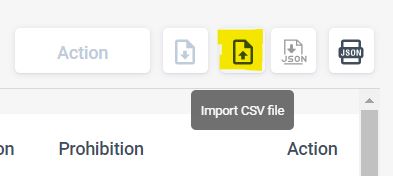
Select the Import CSV icon and then follow the on-screen prompts to import the file.
How to edit the Product Details VPP page
Select the product record from the Catalog page.
Select the Edit icon on the top right section of the Product Details page.
Update the fields that you want to change.
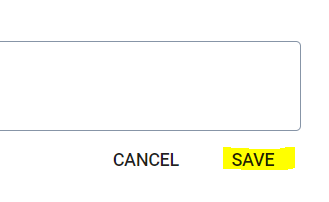
Select Save at the bottom of the Product Details page.
Data upload and product change limits
You can upload up to two million records at once.
You can update one, multiple, or all of your products at the same time. Ensure you use the CatalogKey to update the appropriate record.
Invalid records
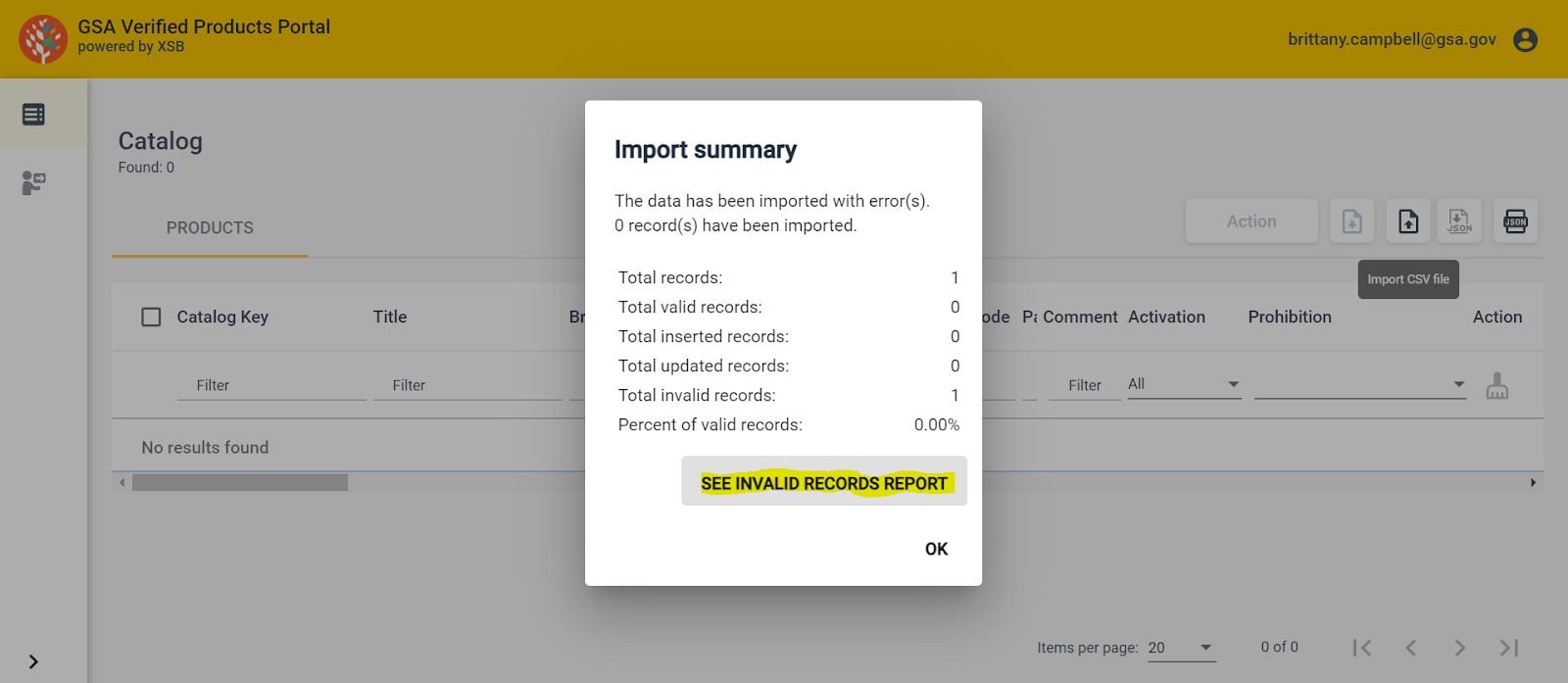
An invalid record contains missing or incorrectly formatted data in the required fields. Select “See Invalid Records Report” in the “Import summary” to view the error report or “Download” to view the report in CSV format.
What to do if you get an error message after uploading a product file
Ensure the file is saved as a CSV in Excel before uploading.
Review the data field requirements to ensure that all of the data is formatted correctly.
Email vpp@gsa.gov if the issue persists and provide your user information, organization, and a description of the issue.
Prohibition rules
The prohibition rules establish restrictions to ensure compliance with legal standards and prevent the listing of prohibited products. Please proceed with including these items as it ensures the proper compliance flags are applied when vendors attempt to add these items to their MAS catalogs.
Prohibition reasons
The prohibition reasons provide an explanation for why each rule exists.
Supplier authorization
Note: OEMs can provide a list of authorized or unauthorized suppliers in the VPP via supplier authorization CSV upload, but this does not automatically remove suppliers from GSA Advantage.
Getting started
The VPP’s authorization options allow you to select the level of control that is right for your organization. Below is a list of the authorization options available to manufacturers, with a smaller subset available to wholesalers.
List authorized suppliers — (Default) Users will be able to provide an authorization list.
List authorized suppliers with unlisted suppliers as unauthorized
List authorized suppliers with unlisted suppliers as unknown
Any supplier for VPP products — Users will be able to authorize suppliers only for the product content that is listed in VPP; removes the ability to provide an authorization list.
Any supplier for VPP products with unlisted products as unauthorized
Any supplier for VPP products with unlisted products as unknown
Any supplier for all products — Users must request this override option, which provides a blanket authorization for all suppliers for all items attributable to the manufacturer; removes the ability to provide an authorization list.
As a manufacturer …
Recommended authorization option
I will manage all of my supplier authorizations through the VPP
List authorized suppliers with unlisted suppliers as unauthorized
I will manage most of my supplier authorizations through the VPP
List authorized suppliers with unlisted suppliers as unknown
I will provide all products allowed to be sold through the Multiple Award Schedule
Any supplier for VPP products with unlisted products as unauthorized
I will provide most products allowed to be sold through the Multiple Award Schedule
Any supplier for VPP products with unlisted products as unknown
I will provide a list of authorized wholesalers who will manage their own supplier authorizations through the VPP
Upload wholesaler authorizations
I do not require suppliers to be authorized to distribute my products
Any supplier for all products Contact vpp@gsa.gov to set this option
Suppliers
The Suppliers page displays the following categories:
Category
Category definitions
Manufacturer Name
The manufacturer name.
Category ID
An assigned ID to correspond with the product records. Product records can be assigned different category ID’s allowing you to provide authorizations by product line. If you don’t have that granular of a supply chain, you can use the same category id for all product records. You can set all to 1, or you can use a variety of numbers to allow for a complex distribution chain where certain vendors are allowed to carry certain product lines.
Supplier Name
The name of the supplier.
Doing Business As
The name that a business operates under, which differs from its legal registered name.
Authorization Status
Identifies whether a vendor is “Authorized” or “Unauthorized” to sell a manufacturer’s products.
Unique Entity Identifier
Formerly known as the Data Universal Numbering System, or DUNS, number. Entities doing business with the federal government use the Unique Entity ID created in the System for Award Management, or SAM, website.
Updated At
Leave this field blank.
Revoked At
Leave this field blank.
Organization
Leave this field blank.
Updating supplier authorization data
A supplier authorization file is used to update supplier authorization information on the VPP, which also updates GSA Advantage data.
Required fields
ManufacturerName
CategoryID
SupplierName
IsAuthorized
UniqueEntityIdentifier
Leave the following fields blank:
UpdatedAt
RevokedAt
OrganizationName
DoingBusinessAs
How to upload a supplier authorization file
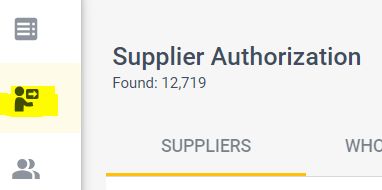
Navigate to the Supplier Authorization page in the VPP.
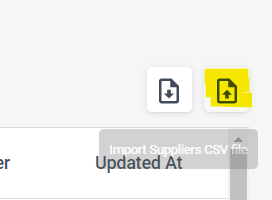
Select the Import Suppliers CSV icon and then follow the on-screen prompts to import the file.
Wholesalers
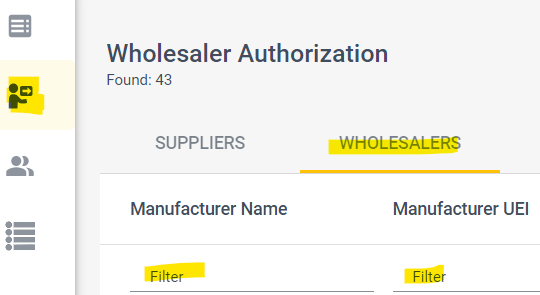
Filter wholesaler authorization information by selecting Filter under one or more categories.
Wholesaler page categories
Category
Category definitions
Manufacturer Name
The manufacturer name.
Manufacturer UEI
The manufacturer UEI. Formerly known as the DUNS number. Entities doing business with the federal government use the UEI created in SAM.gov.
Category ID
An assigned id to correspond with the product records. Product records can be assigned different category id’s allowing you to provide authorizations by product line. If you don’t have that granular of a supply chain, you can use the same category id for all product records. You can set all to 1, or you can use a variety of numbers to allow for a complex distribution chain where certain vendors are allowed to carry certain product lines.
Wholesaler Name
The wholesaler name.
Doing Business As
The name that a business operates under, which differs from its legal registered name.
Is Authorized
Identifies whether a vendor is “Authorized” or “Unauthorized” to sell a manufacturer’s products.
Wholesaler UEI
Formerly known as the DUNS number. Entities doing business with the federal government use the UEI created in SAM.gov.
Updated At
Leave this field blank.
Revoked At
Leave this field blank.
Organization Name
Leave this field blank.
Updating wholesaler authorization data
A wholesaler authorization file is used to update wholesaler supplier authorization information on the VPP, which also updates GSA Advantage! data.
Required fields
ManufacturerName
ManufacturerUei
CategoryID
WholesalerName
IsAuthorized
WholesalerUei
Leave the following fields blank:
DoingBusinessAs
UpdatedAt
RevokedAt
OrganizationName
How to upload a wholesalers file
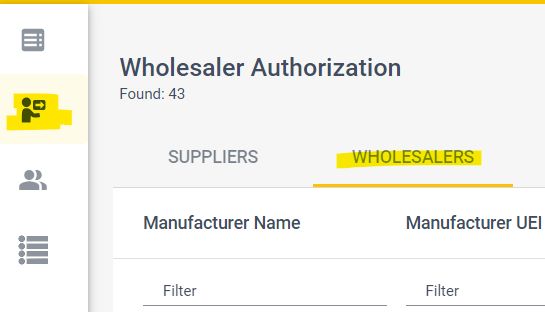
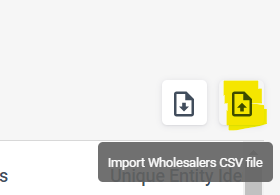
Navigate to the Supplier Authorization page and select the Wholesalers tab.
Traveler reimbursement is based on the location of the work activities and not the accommodations,
unless lodging is not available at the work activity, then the agency may authorize the rate where
lodging is obtained.
Unless otherwise specified, the per diem locality is defined as "all locations within, or entirely
surrounded by, the corporate limits of the key city, including independent entities located within
those boundaries."
Per diem localities with county definitions shall include"all locations within, or entirely
surrounded by, the corporate limits of the key city as well as the boundaries of the listed counties,
including independent entities located within the boundaries of the key city and the listed counties
(unless otherwise listed separately)."
When a military installation or Government - related facility(whether or not specifically named) is
located partially within more than one city or county boundary, the applicable per diem rate for the
entire installation or facility is the higher of the rates which apply to the cities and / or counties,
even though part(s) of such activities may be located outside the defined per diem locality.


 U.S. General Services Administration